

How ConversionBuddy works
How ConversionBuddy works: more revenue after the click
Your campaigns bring the click. ConversionBuddy decides what the visitor sees next. On this page you’ll find the journey from click to purchase, the logic behind Discovery Pages, real live examples, the A/B test with its dashboard, and the setup.
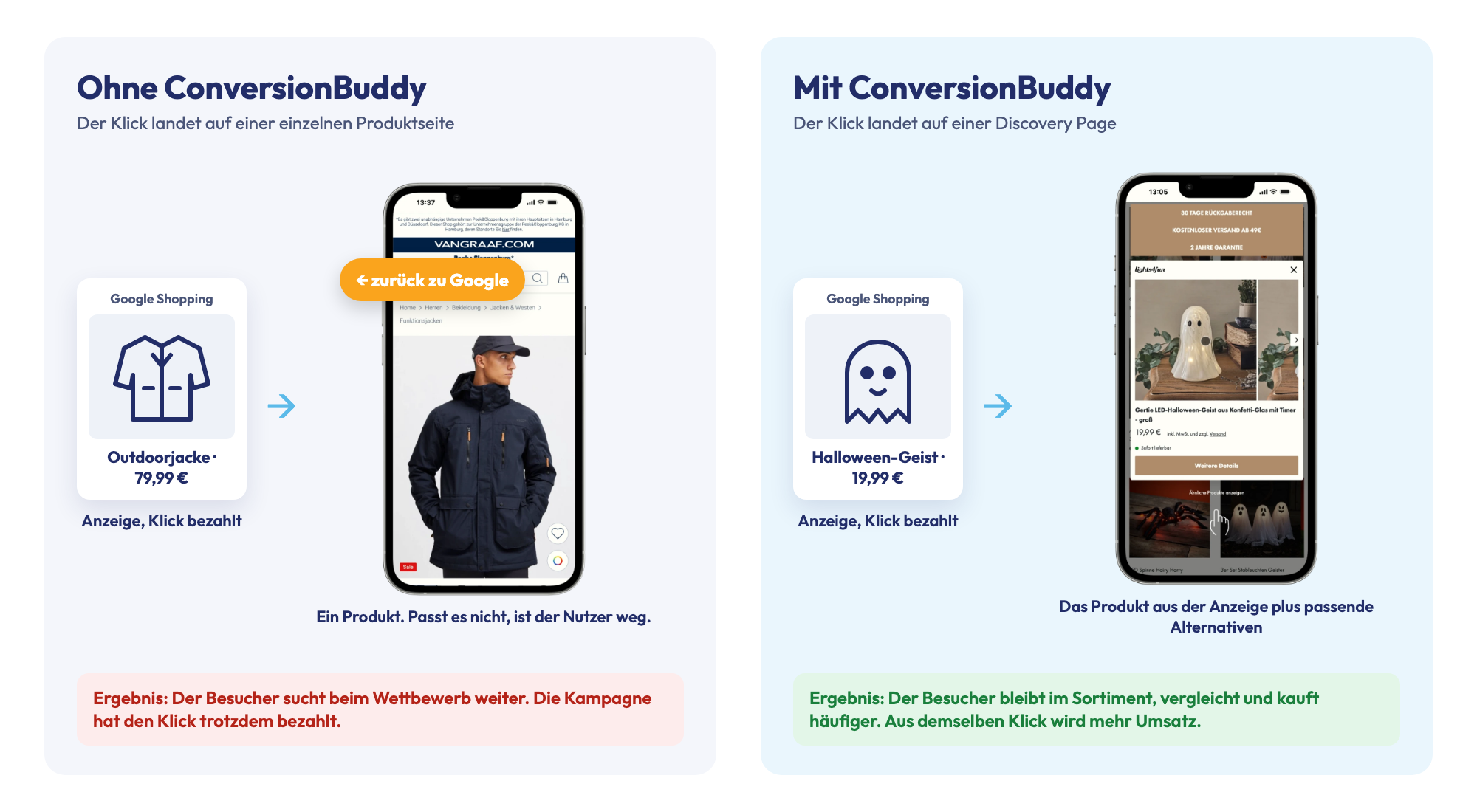
In short: instead of landing on a single product page, the visitor lands on a Discovery Page with the product from the ad and matching alternatives. They stay in your range, compare and buy more often. The same click turns into more revenue.
The process
From click to purchase in three steps
Nothing changes in your campaigns. Feed, bids, structure and agency stay as they are. Only the landing page after the click is different.
1. Your ad stays your ad
Google Shopping, Meta or retargeting run as before. The ad’s final URL points to a subdomain of your shop, for example shop.yourshop.com. The click costs the same as before.
2. The visitor lands on the Discovery Page
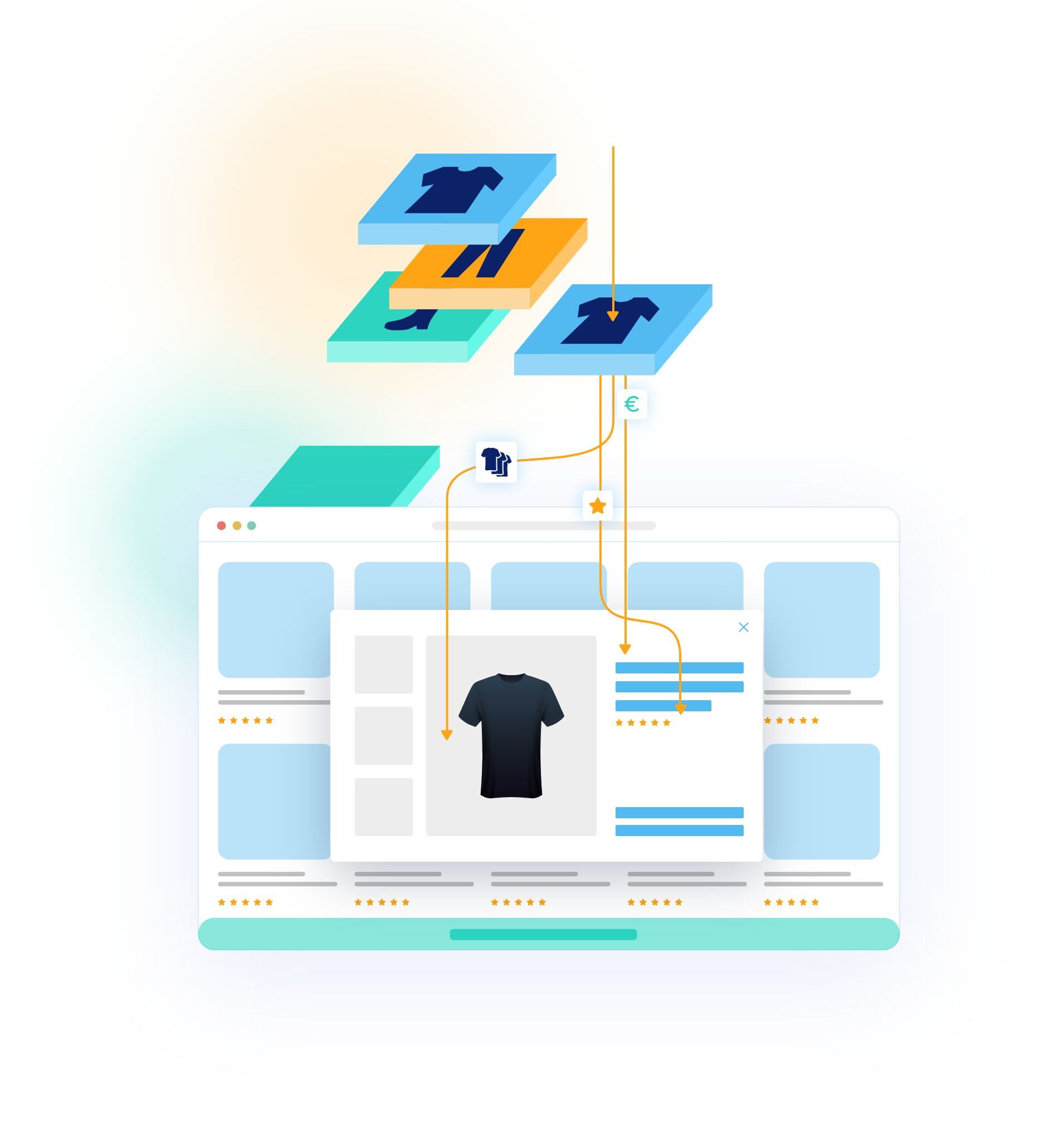
Up front is the product from the ad with its price, variants and selling points. Behind it are matching alternatives from your range, sorted by relevance and performance. You control promotional banners per channel.
3. The purchase happens in your shop
A click on “More details” takes the visitor to your shop. Cart, checkout, payment and tracking remain your systems. ConversionBuddy only sits between the ad and the shop.
The logic behind it
Two logics decide what the visitor sees
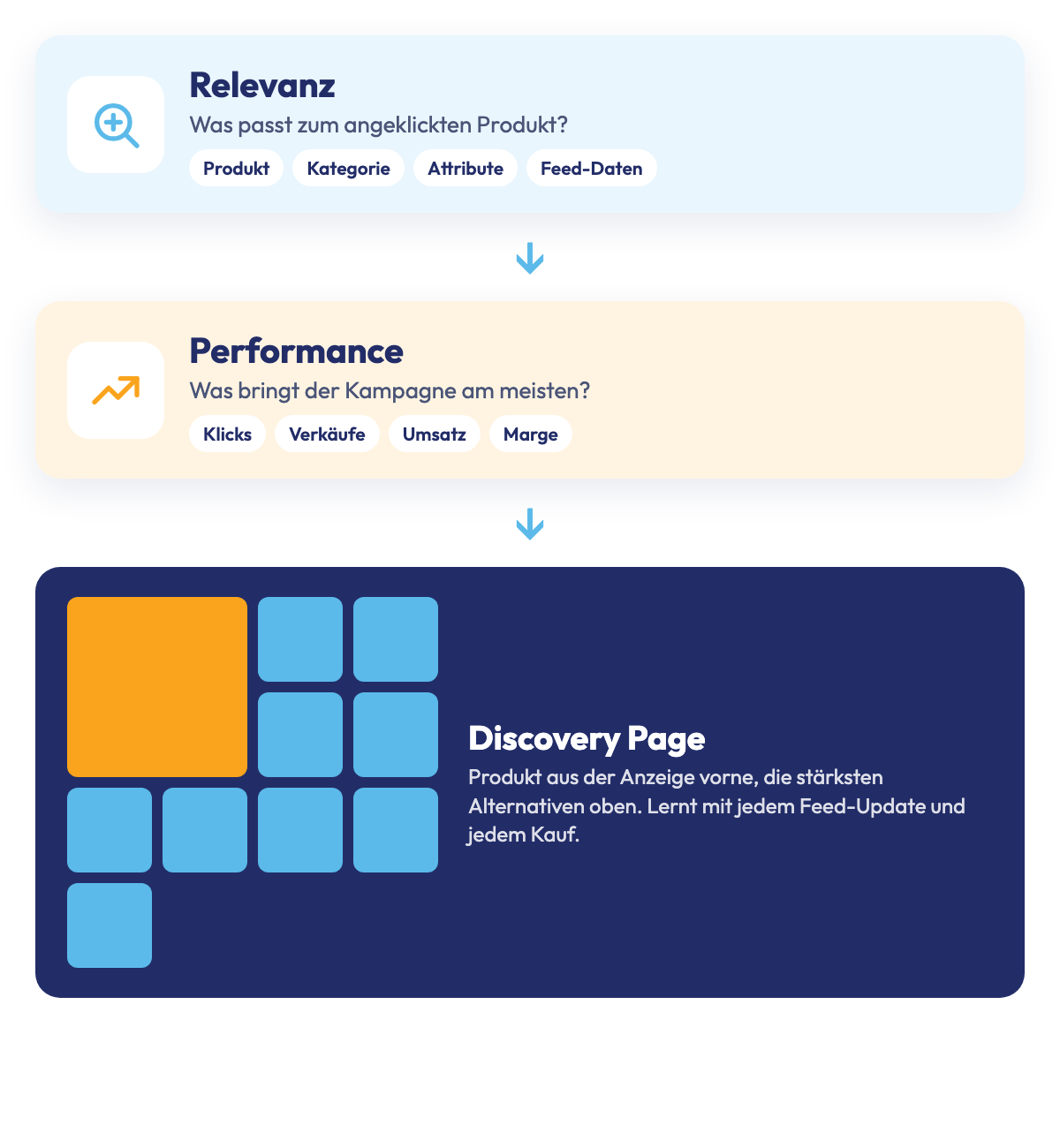
The layout of the Discovery Page is not the lever. The lever is the selection and order of the products. Two logics work together to achieve this.
Relevance matching
The AI recognises which products match the search intent behind the click: based on the product from the ad, the search term, the category and the attributes from your feed.
Performance ranking
Of the matching products, those that bring your campaign the most appear at the top. You choose the target metric: clicks, sales, revenue, margin or gross profit. The ranking learns with every feed update and every purchase from your campaign.
You stay in control
Exclude products or categories, set the target KPI, and show promotional banners by channel, range and time period. Anything you don’t configure runs automatically.
Live examples
What it looks like for our customers
Both pages are real Discovery Pages in live operation. Click on an image to open the page in the customer’s shop.
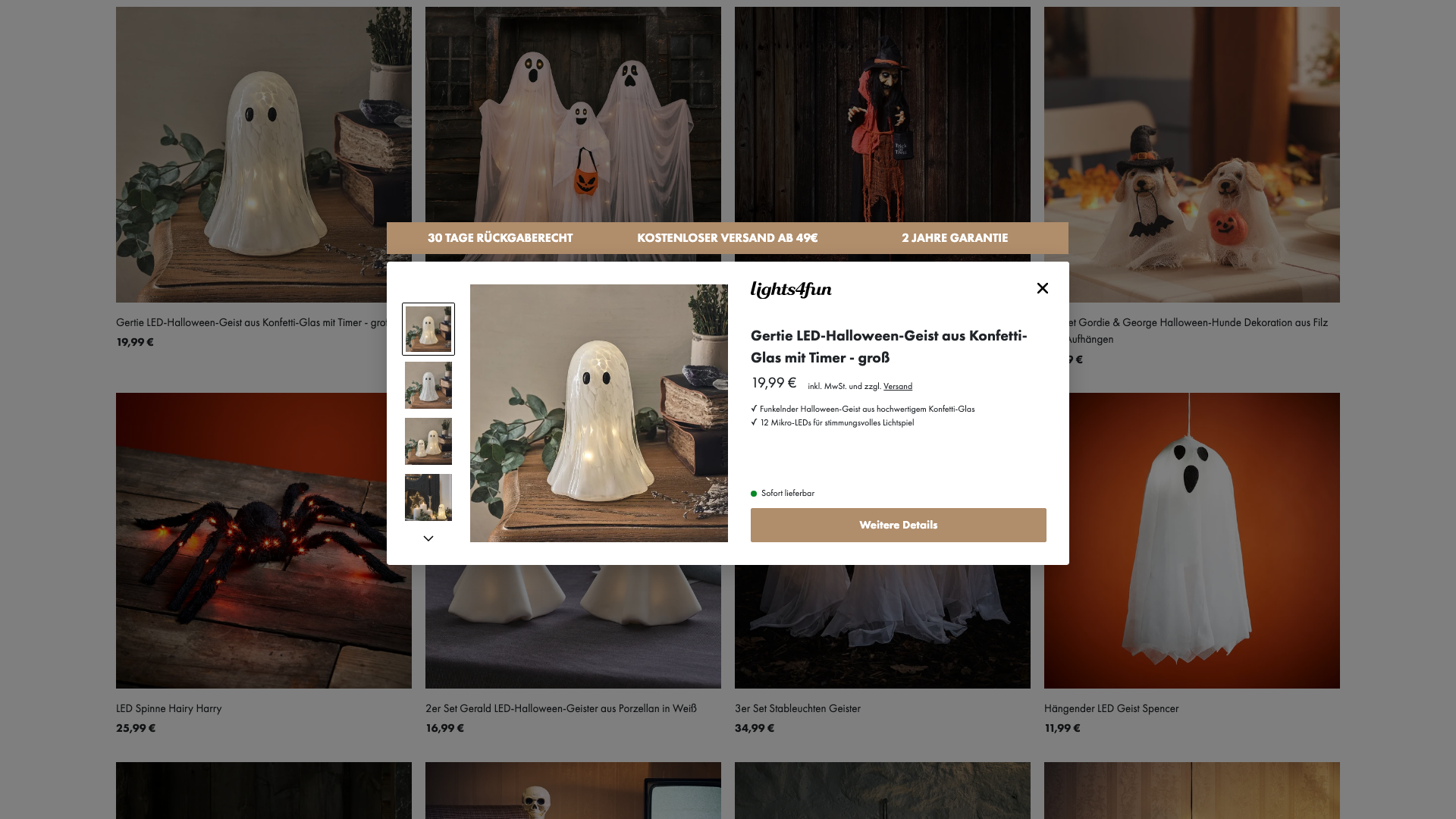
Lights4fun: Seasonal items with a deep range. Next to the ghost they clicked on, the visitor sees more Halloween decorations, plus a banner with return policy and shipping costs.
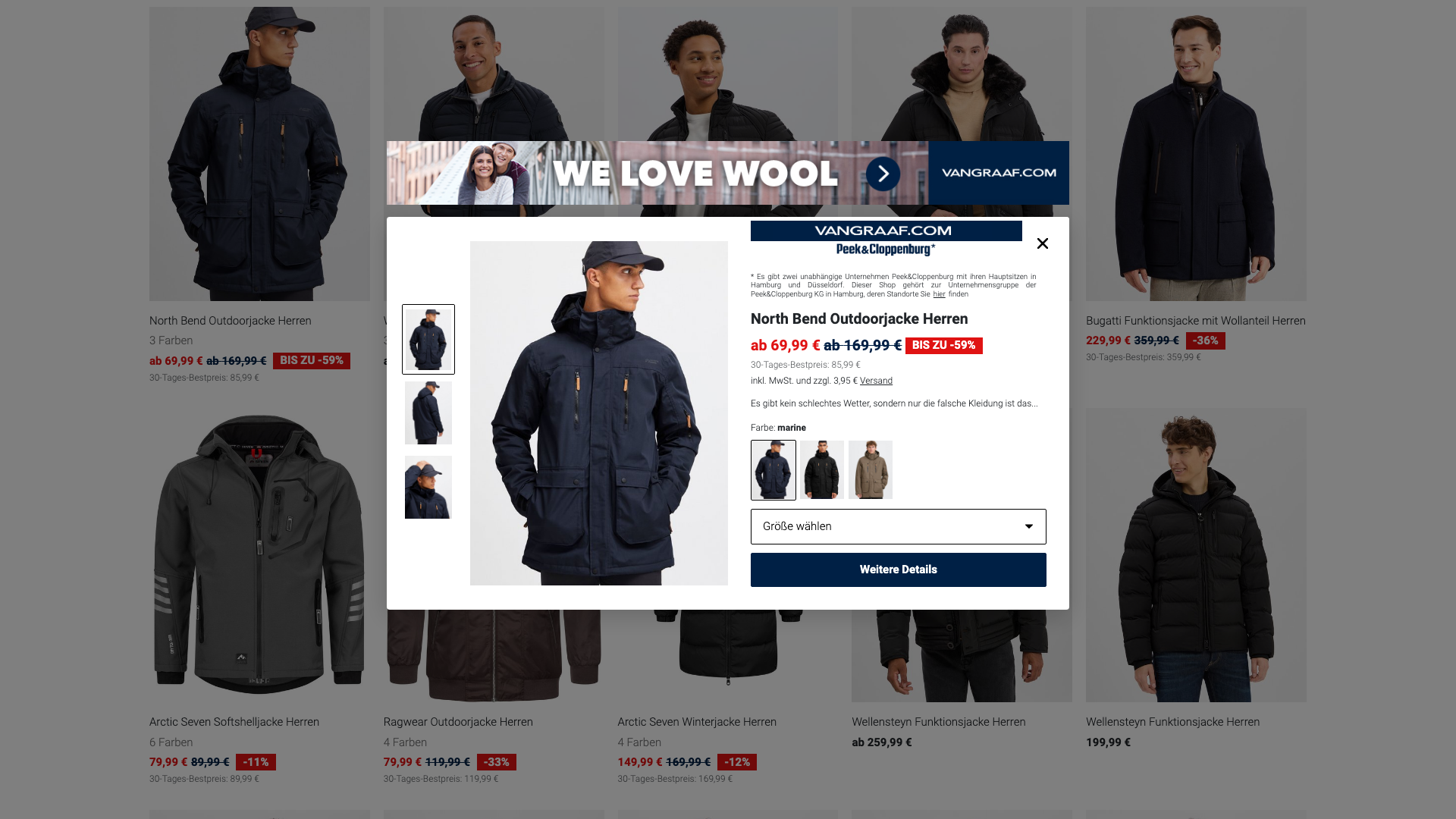
Van Graaf: More than 100,000 items online. The outdoor jacket that was clicked is shown alongside other jackets from the same category, sorted by sales performance, with the channel-specific promotional banner at the top.
The A/B test
Results instead of promises
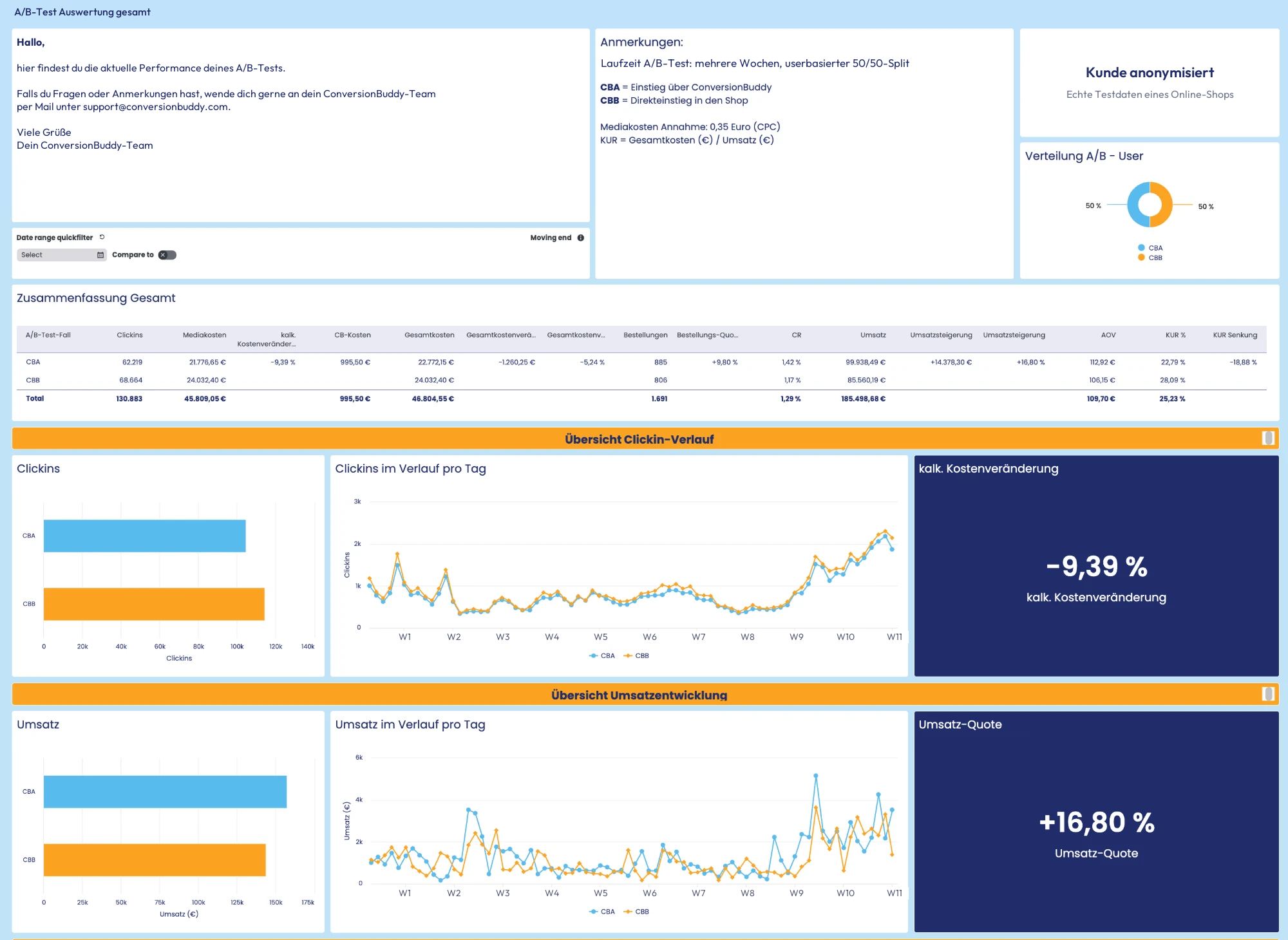
Every customer starts with a user-based A/B test: 50 percent of visitors land on the Discovery Page, 50 percent on the product page as before. Both groups run through your tracking, and you see the results daily in the dashboard.
What is measured
- Click-ins and imputed media costs
- Orders and conversion rate
- Revenue increase and basket value
- Cost-revenue ratio and calculated cost change
- Further target metrics possible
How the test runs
- Usually runs for 30 days
- Requirement: from around 30,000 external clicks per month for a reliable result
- Tracking via Google Analytics, econda or your existing system
- The example above shows 16.8 percent more revenue and 9.4 percent lower calculated costs with the same number of users
What this means for you
You only pay for positive results. If the test shows no uplift after the test period, there is no charge. Cancel monthly, features and customisations included.
The setup
No IT project. Four things, and our team does the rest.
ConversionBuddy runs independently of your shop system, whether Shopify, Shopware, Magento, plentymarkets, WooCommerce, SAP Commerce or a custom build. On your side it takes a few hours, usually from marketing and tracking, not from IT.
- Subdomain: Your web administrator creates a DNS record, for example shop.yourshop.com. The pages run under your brand.
- Product data feed: You create a feed for ConversionBuddy. Alternatively, your Google Shopping feed can be used.
- Tracking: Your tag container and your conversion events, so the A/B test shows up in your own numbers.
- Consent: Your consent manager is integrated across domains, so consent applies on both sides.
The ConversionBuddy team handles the setup. Then the A/B test starts.
Frequently asked questions
What ConversionBuddy is and isn’t
“Our agency already does that.”
Agency, feed optimisation and bid management work before the click. ConversionBuddy works after it. They complement each other, nothing is replaced. Many agencies use ConversionBuddy as a partner for their clients.
“Isn’t this just a landing page builder?”
No. Anyone could copy the layout. The difference lies in the relevance and performance logic that automatically decides which products appear and in which order. The system learns continuously based on performance.
“We don’t have any IT resources.”
All it takes is one DNS record from your web administrator. Feed, tracking and consent run through tools your marketing team already uses. Our team does the setup. Your IT isn’t needed beyond that.
“What happens to Quality Score and tracking?”
The subdomain belongs to your domain, and your tracking stays your tracking. Your conversion data keeps flowing into Google Ads, Meta and your analytics.
Who it’s for
Which campaigns the test is worth it for
Channels
- Google Shopping and Performance Max
- Meta Ads with product catalogue
- Retargeting, for example Criteo
- Price comparison sites such as idealo
Requirements
- From around 30,000 external clicks per month, ideally six figures or more
- A product catalogue with breadth and depth
Ranges with the biggest impact
- Fashion, shoes, beauty
- Furniture, home and living, decor
- Garden, DIY, household
- Sports, pet supplies
Less suitable: highly technical products where specifications matter, and small ranges without alternatives.
Results
What campaigns achieve with ConversionBuddy in A/B tests
Across all customers, the revenue uplift from existing Shopping traffic is 12 to 34 percent. On top of that come up to 5 percent lower click costs, because repeat clicks on several ads from the same shop are eliminated.
Steigere jetzt Deinen Umsatz!
